
Hotel PMS & Front Office
Cloud hotel PMS with a drag-and-drop reservation calendar, one-click check-in and check-out, folios, invoicing, 50+ reports and multi-property management.
Hotel PMS & Front Office
Run your whole front desk from one cloud screen — a visual reservation calendar, fast check-in and every folio, report and guest detail in one place, on any device.
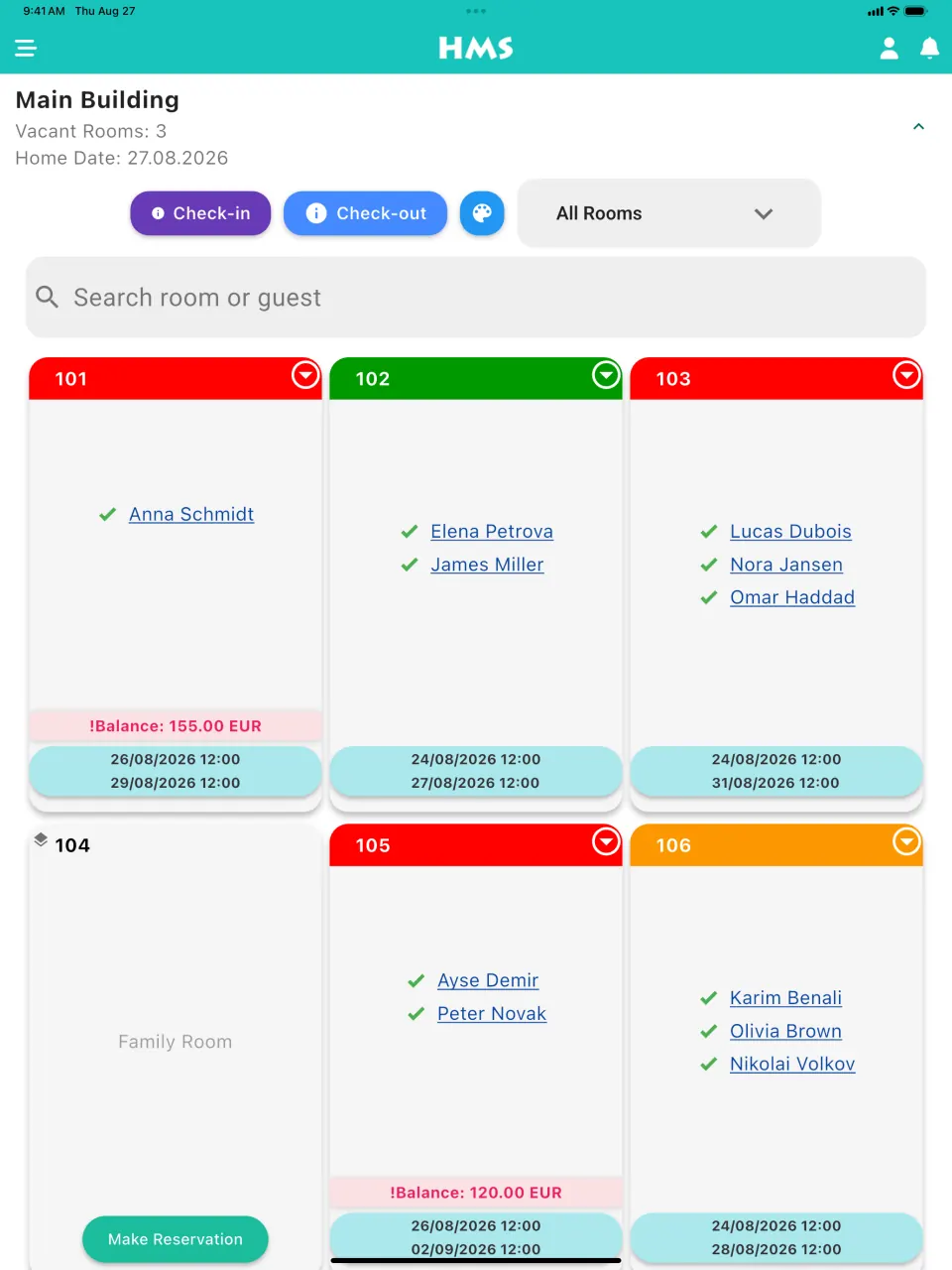
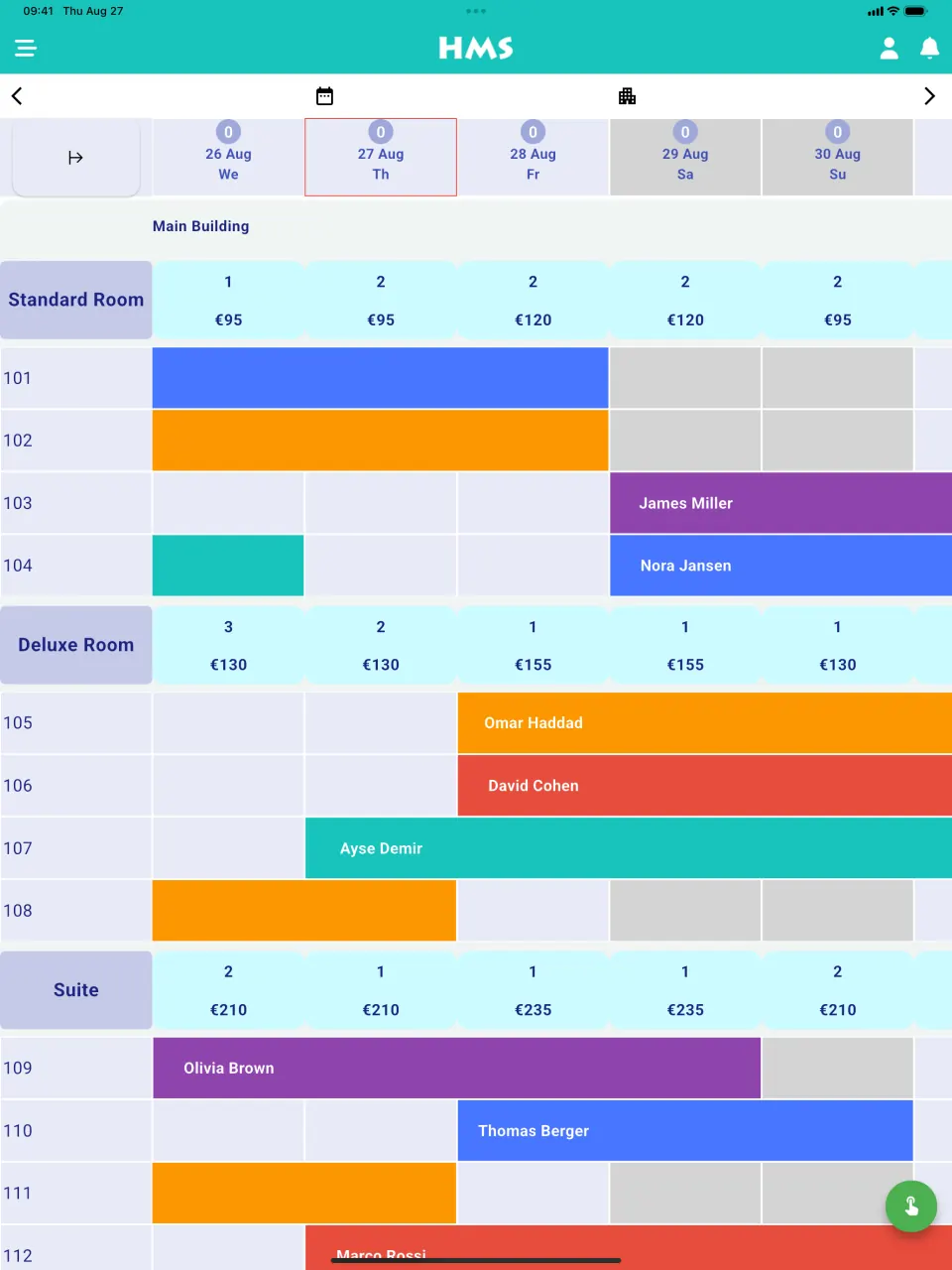
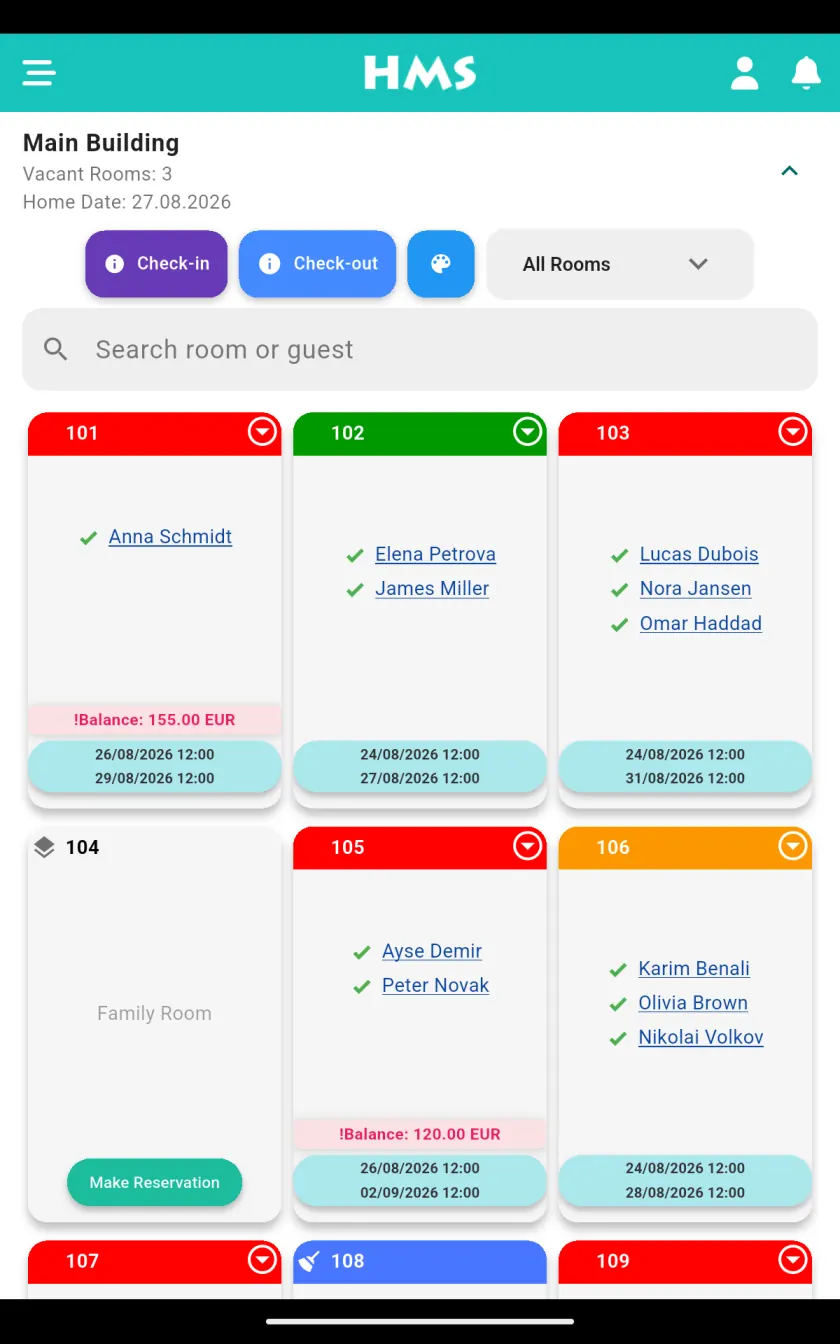
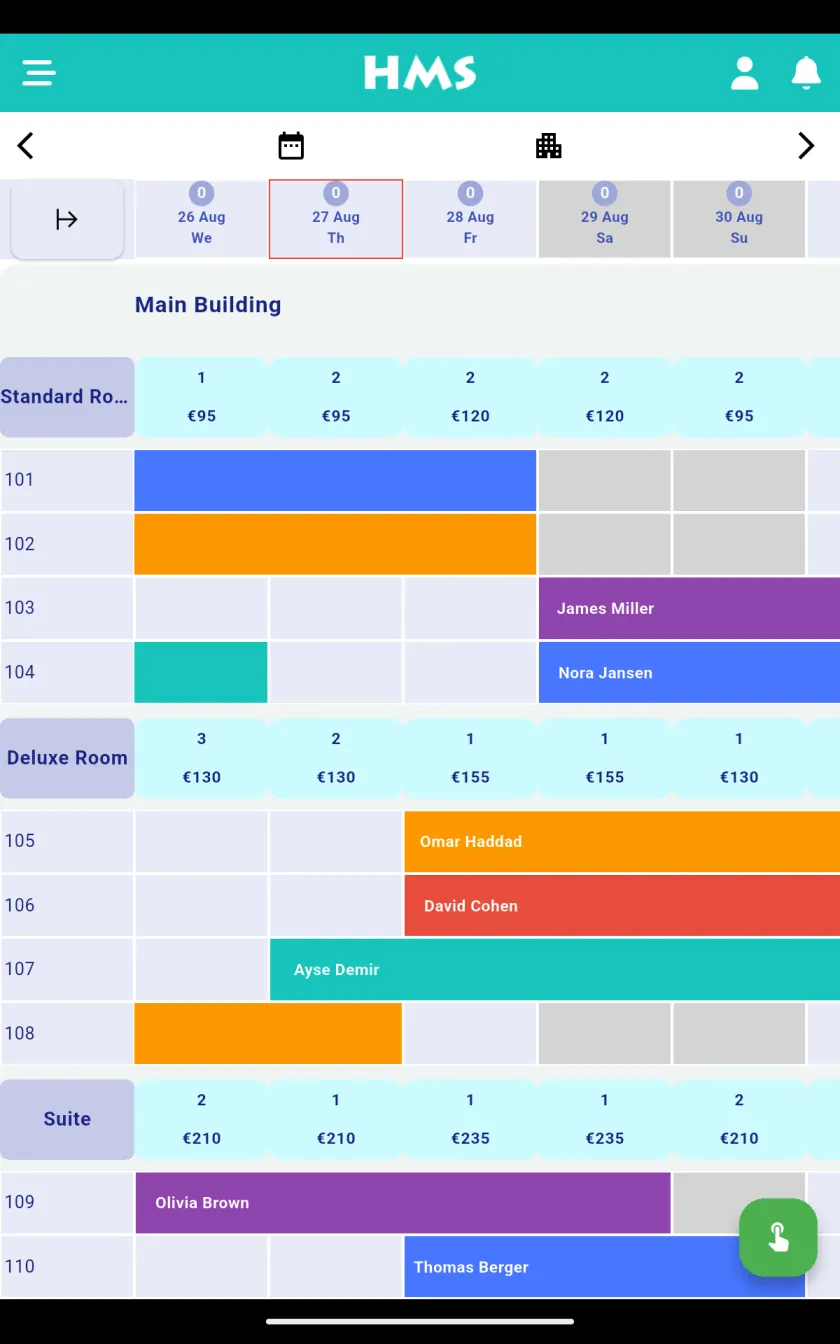
- Drag-and-drop reservation calendar and colour-coded room rack
- One-click check-in / check-out, walk-ins and instant room moves
- Group and block bookings with shared folios
- Room, rate and availability management with min-stay and stop-sell restrictions
- Guest folios, split bills, deposits and city ledger
- Reservation extras and add-on tracking with automatic invoicing and configurable taxes
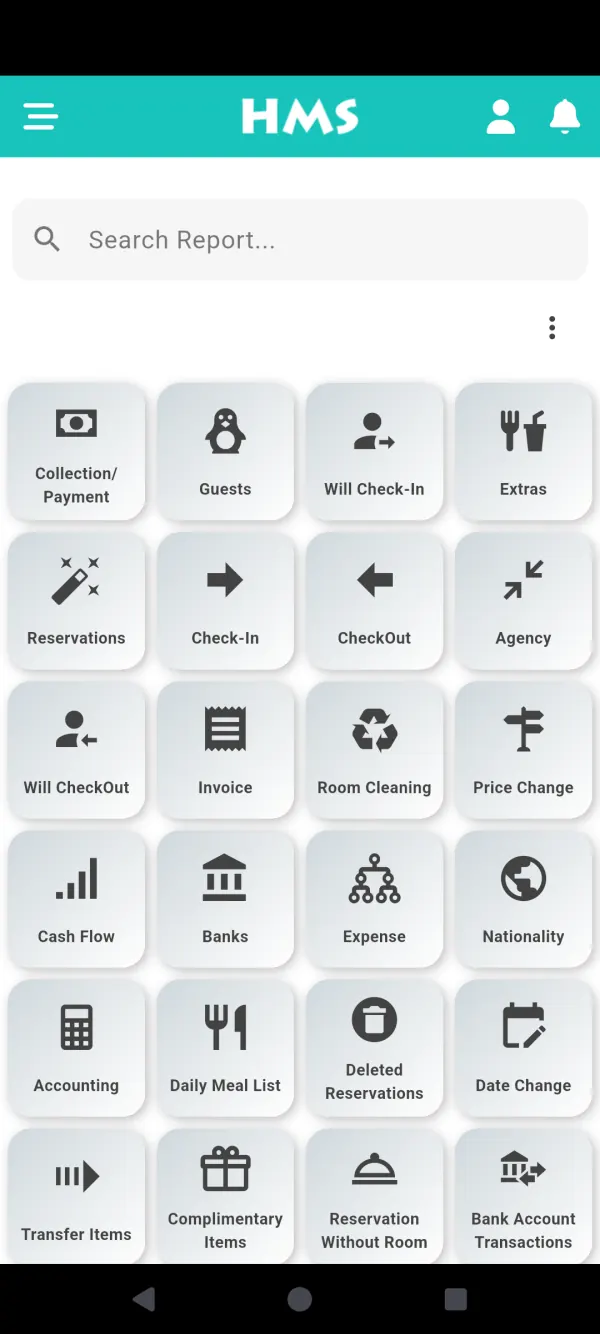
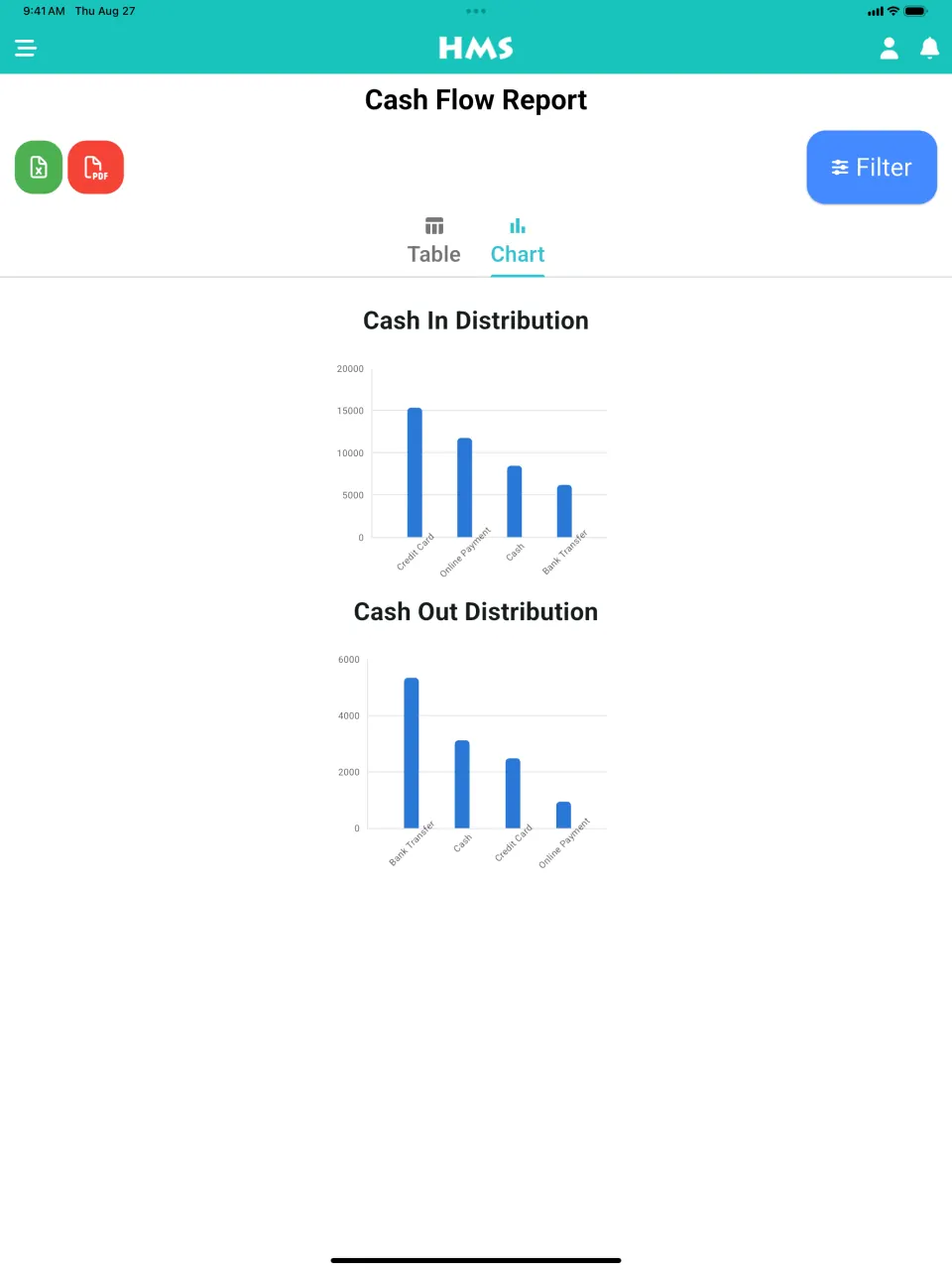
- 50+ built-in reports covering occupancy, revenue and forecasting
- Manage several properties from a single unified dashboard
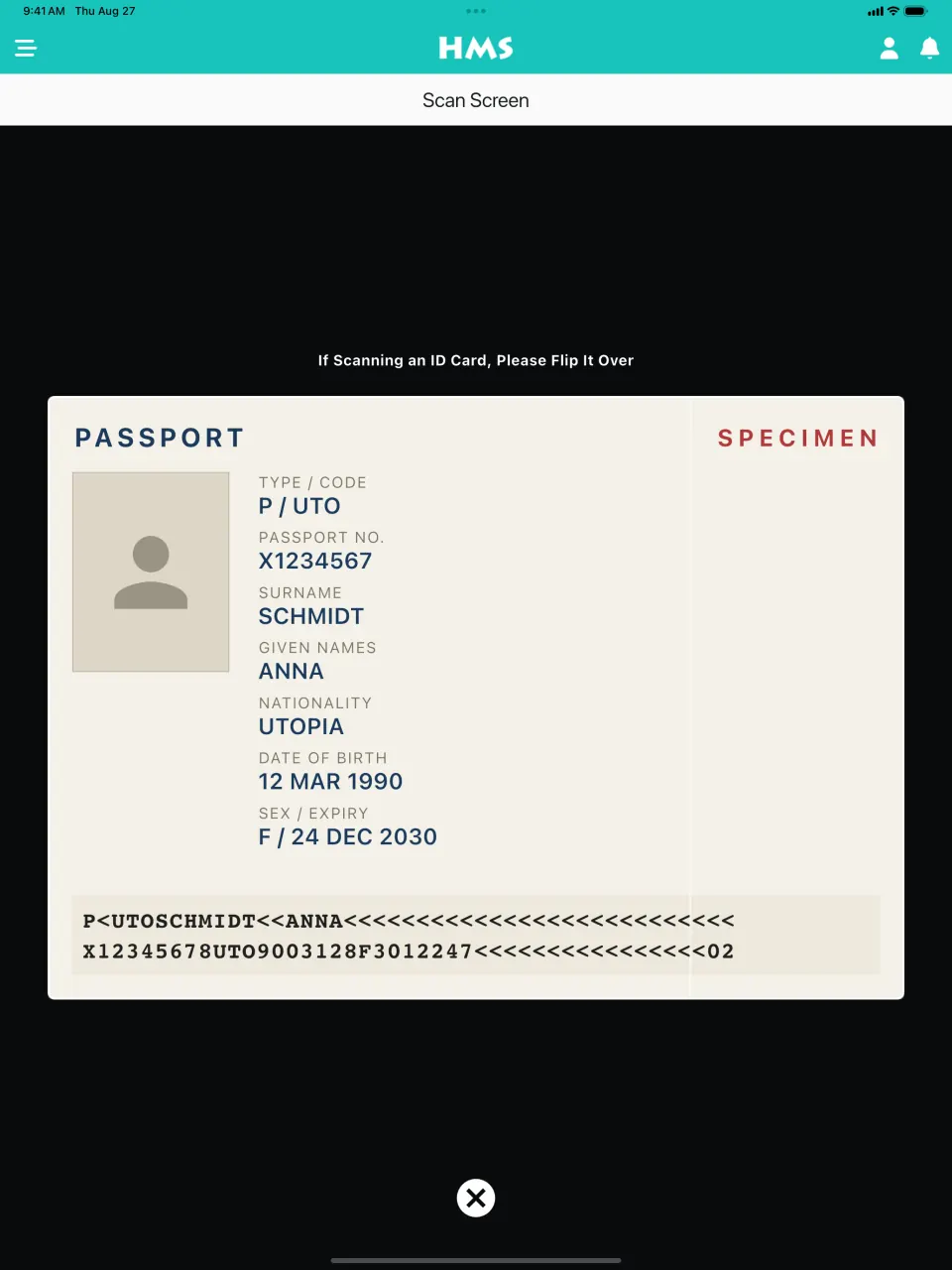
- Guest registration with police / ID (KBS) reporting and QR ID scanning
- Unlimited users with role-based permissions and staff commission tracking
Hotel PMS & Front Office
Run your whole front desk from one cloud screen — a visual reservation calendar, fast check-in and every folio, report and guest detail in one place, on any device.
The system every other part of the hotel runs on
A property management system (PMS) is the record of everything that happens to a room and a stay: who booked it and at what price, who is sleeping in it tonight, what they have spent and what they still owe. Reception works in it all day, housekeeping reads room status from it, and the owner reads the month's numbers from it.
A channel manager and a booking engine are sales tools. One sends your rooms to Booking.com, Expedia and the other OTAs, the other sells them on your own website — and both depend on the PMS knowing exactly what is free. In HMS Flow the three are one system on one database, so a room sold anywhere disappears from every other channel as soon as the sale lands on the calendar.
Because HMS Flow is a cloud-based hotel PMS, it runs in a web browser and in the Android and iOS apps. There is no server in the back office, nothing to install on each computer and no upgrade to buy later: you sign in wherever you are and see the same live data as the front desk.
Front desks it runs every day
From the morning handover to the night audit
This is an ordinary day at a 30-room hotel running on HMS Flow. Every step happens on the same screen, and nothing is typed twice.
-
Morning handover
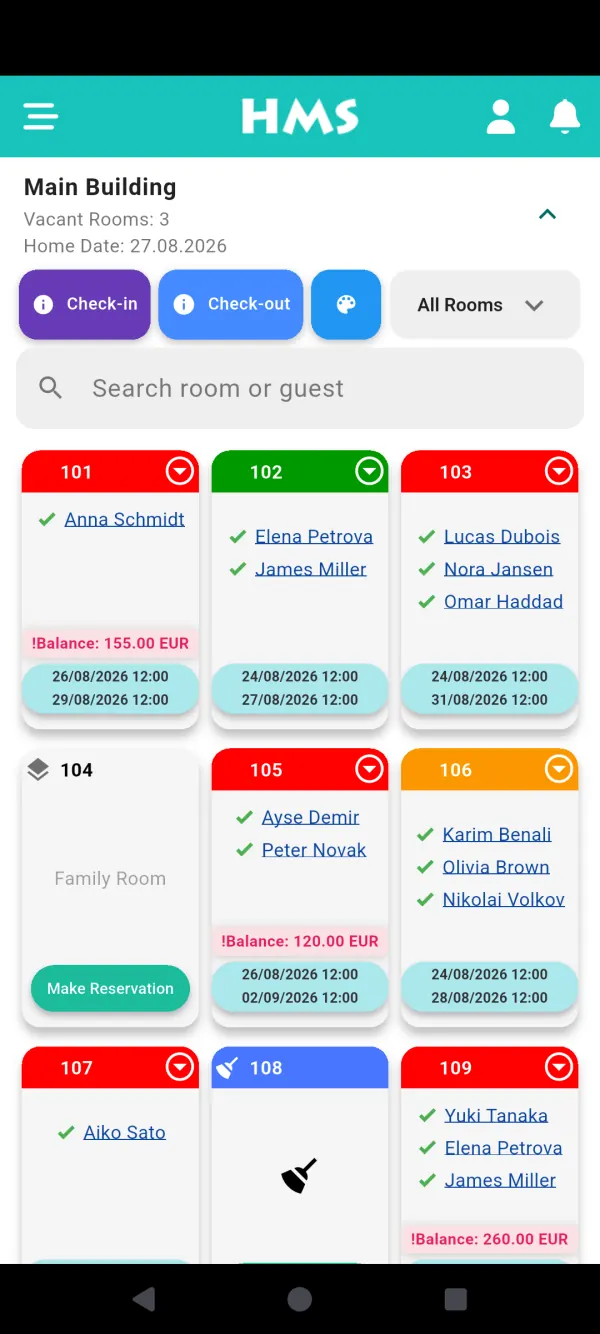
The night audit closed yesterday by itself at midnight, so the date has already rolled over. The morning receptionist takes over the cash drawer from the night shift with its balance counted by payment method, and the dashboard lists today's arrivals, departures, dirty rooms and any booking still waiting for a room number.
-
Check-outs and settling bills
The folio already holds the room nights and every extra posted during the stay — the minibar, the spa, the restaurant bill with its number. The guest pays by cash, card or bank transfer, or the balance moves to the travel agency's or company's account with a due date. The invoice prints on your own invoice layout.
-
A phone booking from a returning guest
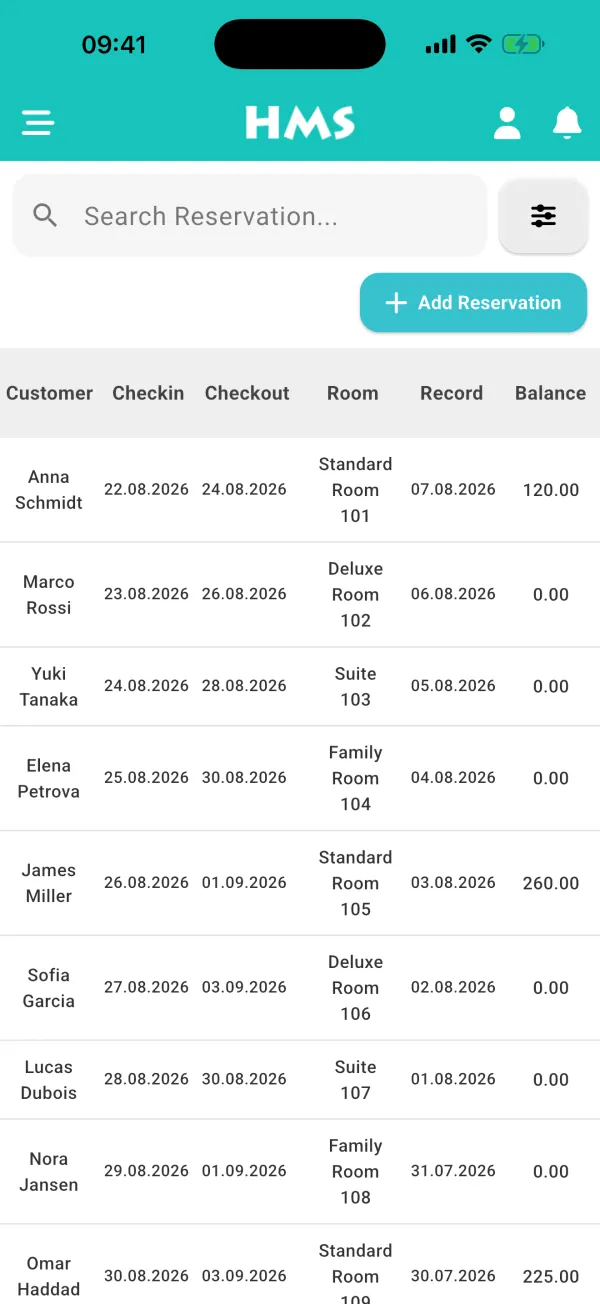
Type the guest's ID number and their details fill in from the last stay; a guest on your blacklist brings up a warning instead. If the dates cross into a new season, give each night its own price. The moment the booking is saved, the room is taken off every connected channel.
-
A group arrives
A tour needing eleven rooms is entered as one group reservation: select the rooms together on the room rack and save them in one step, then register each guest individually as they reach the desk.
-
Afternoon check-ins
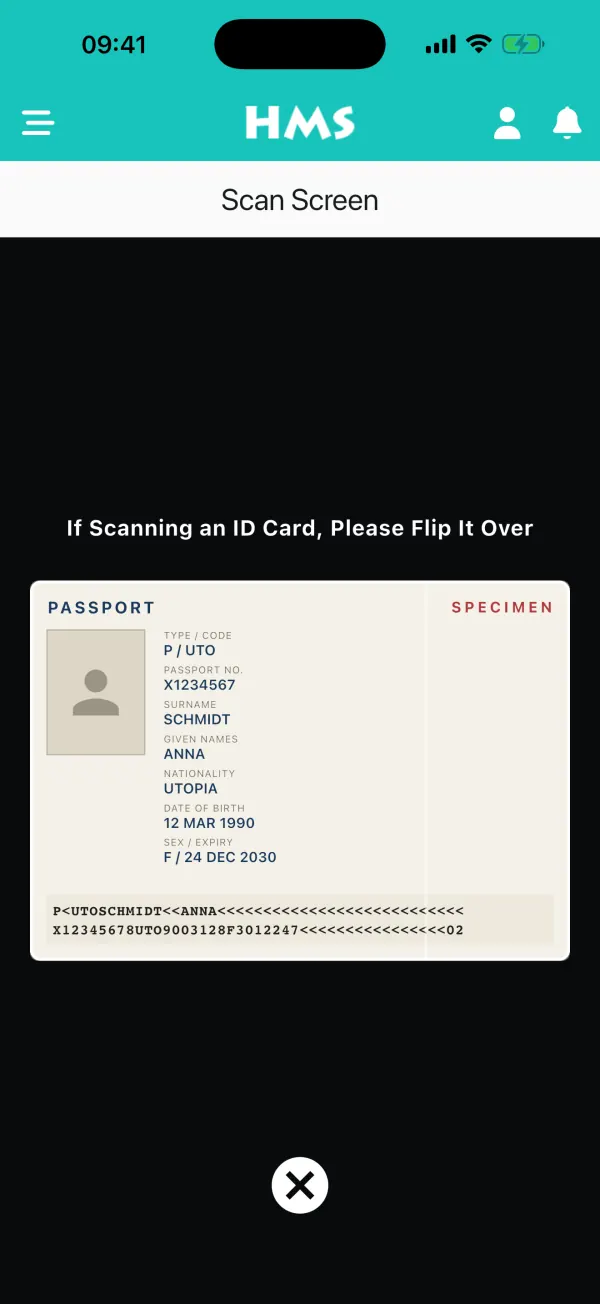
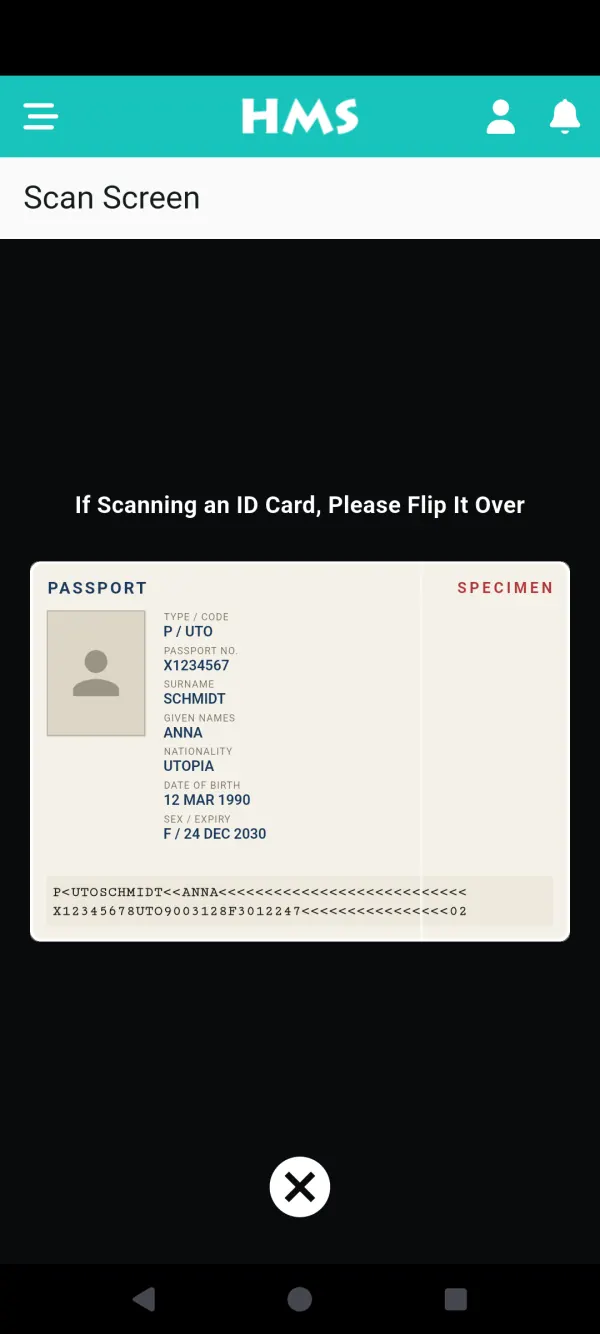
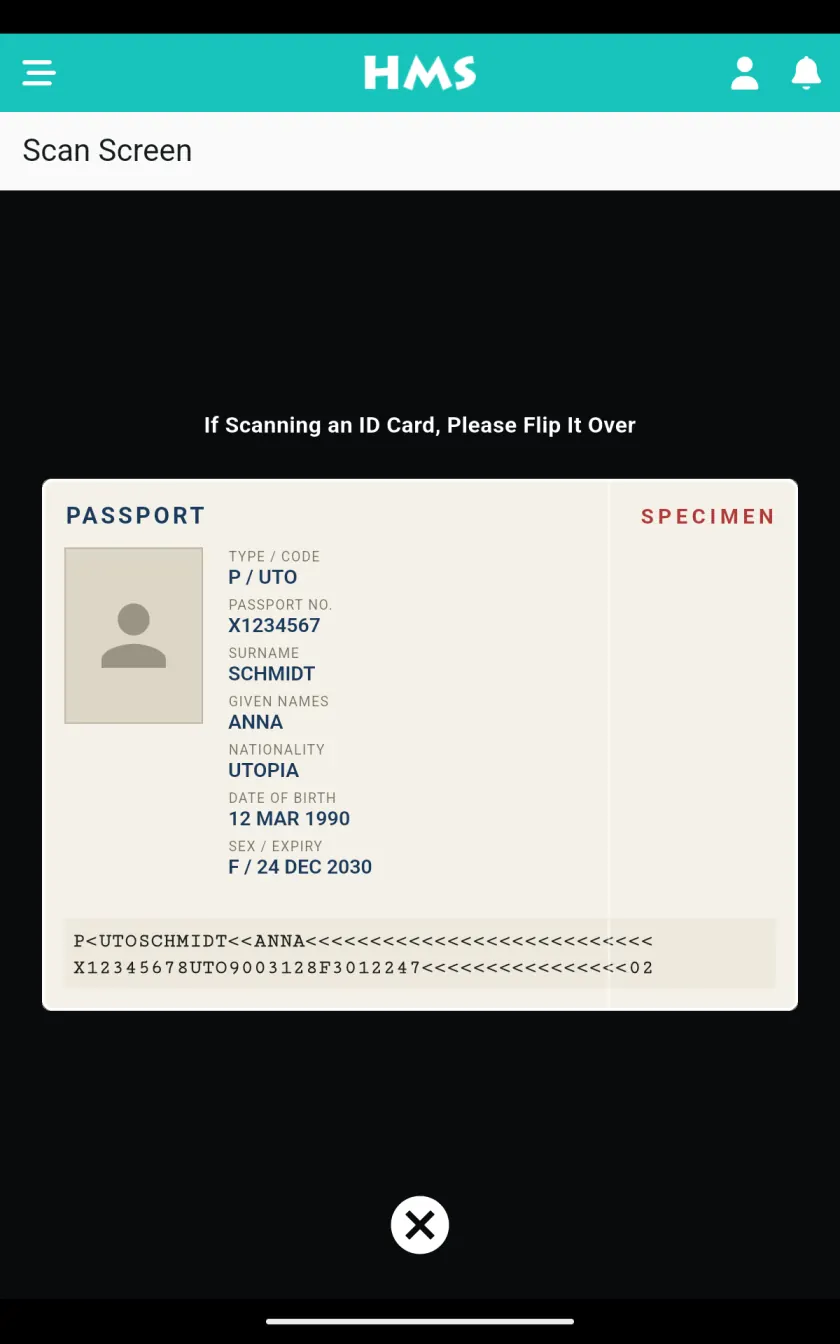
Scan an ID card, passport or driving licence with the free scanner or the phone camera and the guest record fills itself in. For properties in Türkiye, check-in sends the police or gendarmerie (KBS) notification automatically, and with a connected hotspot the guest's Wi-Fi login becomes active in the same step.
-
Restaurant and bar
Orders taken on the Adisyo restaurant POS are posted to the guest's room automatically. A visitor who is not staying is billed as an open sale, which can be moved onto a room's account later if a guest decides to pay for it.
-
Night audit, with nobody at the keyboard
At midnight HMS Flow runs the end-of-day routine on its own. The morning team finds the day closed and the occupancy, revenue and cash reports ready to read — nobody has to stay late to close the day.
Everything the front office needs, in one place
Six areas cover the work of reception, the cash desk and the back office. All of them are part of every plan.
Reservations and room rack
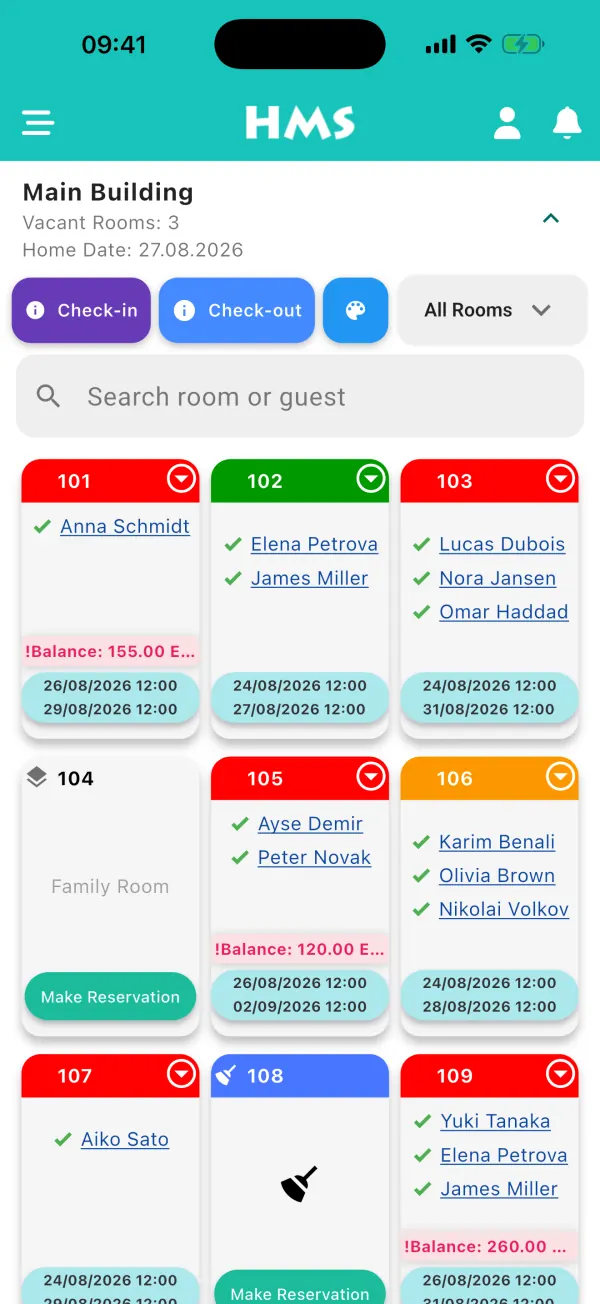
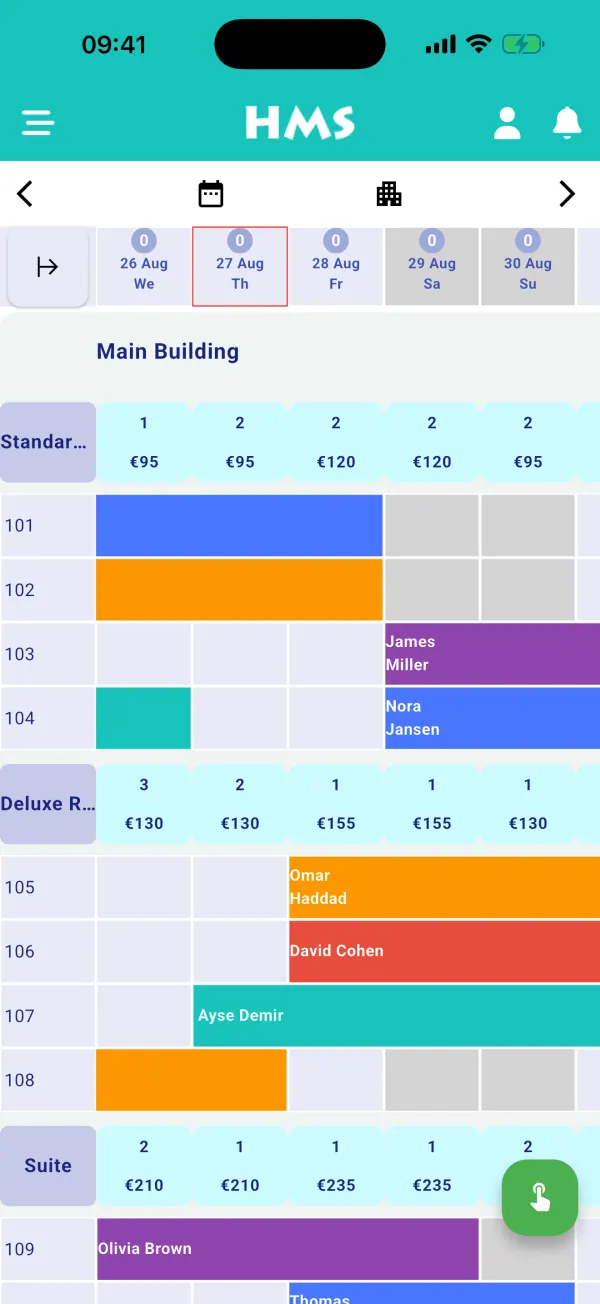
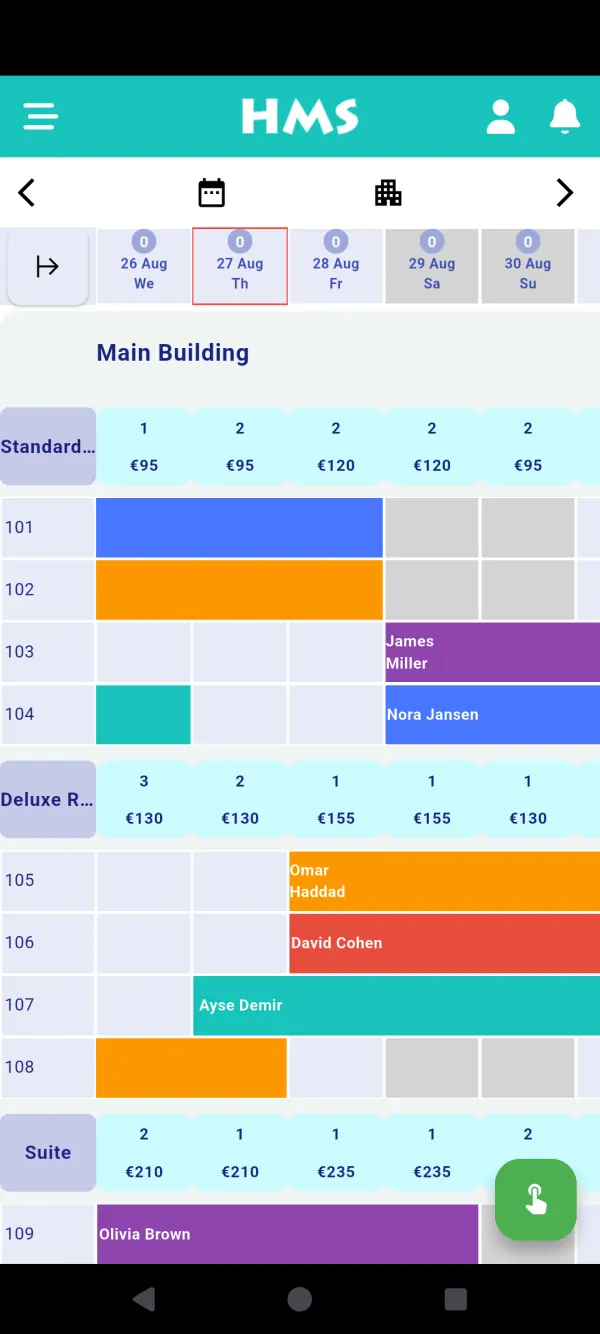
A monthly room rack — or several months side by side — where you drag to create, move or extend a stay. Enter quick, detailed, group and tentative reservations, colour them by channel or agency, block dates or take a room out of service, and see at a glance how many bookings still need a room.
Folios, cash desk and ledgers
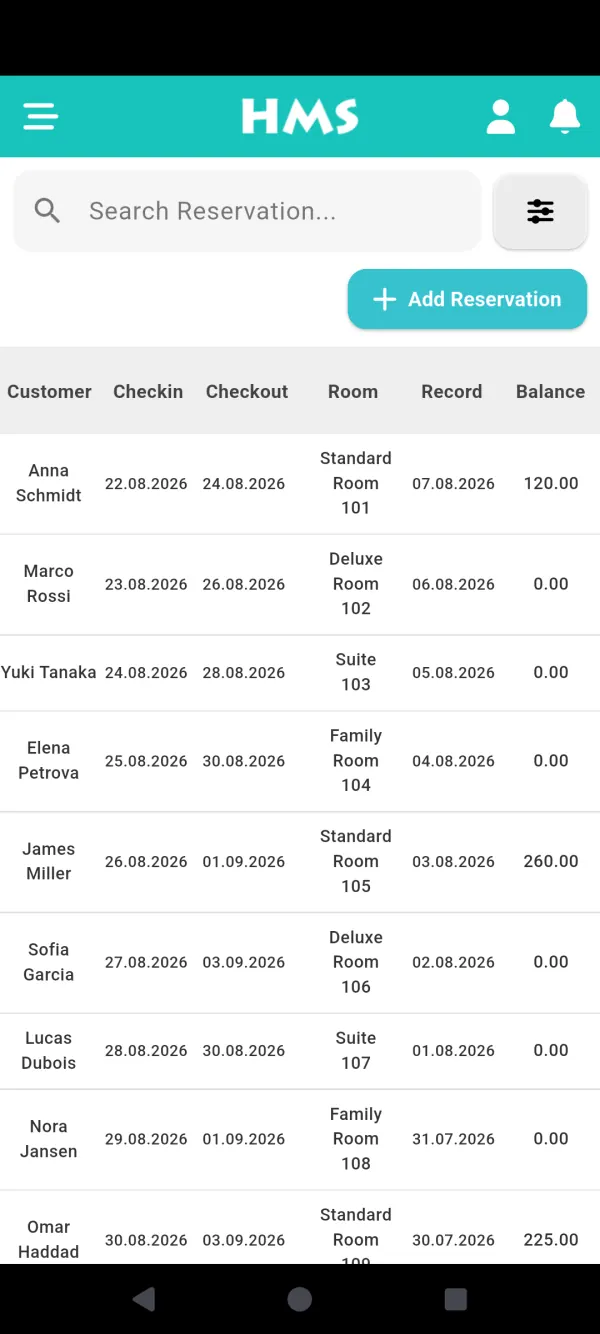
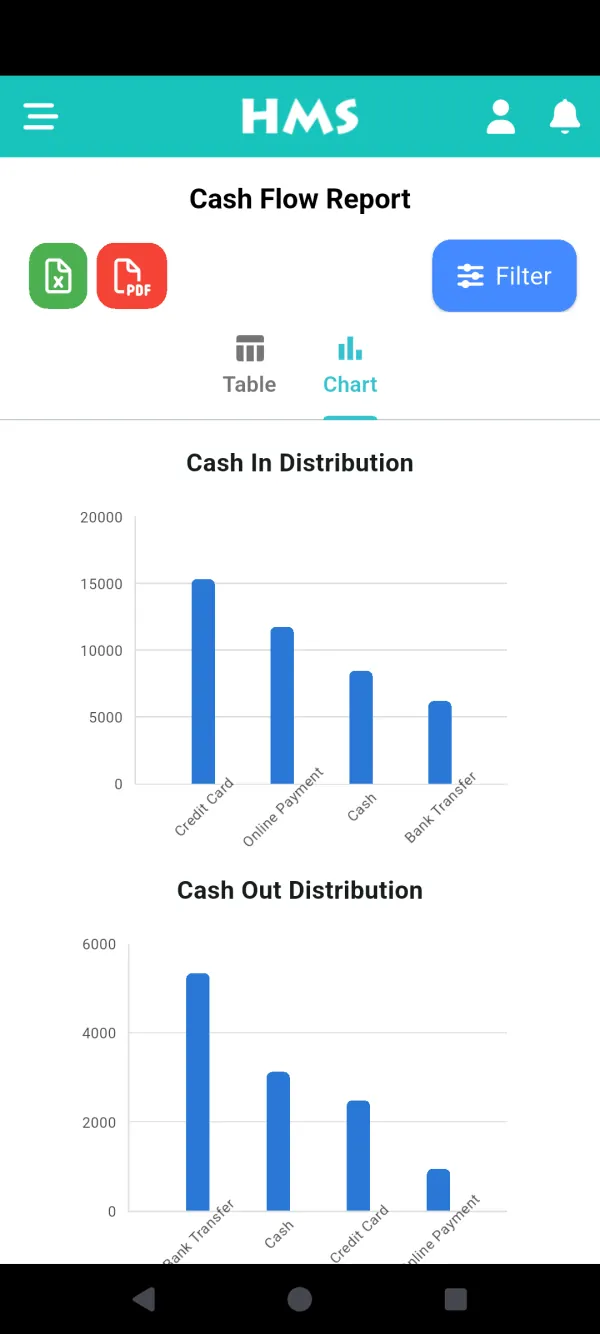
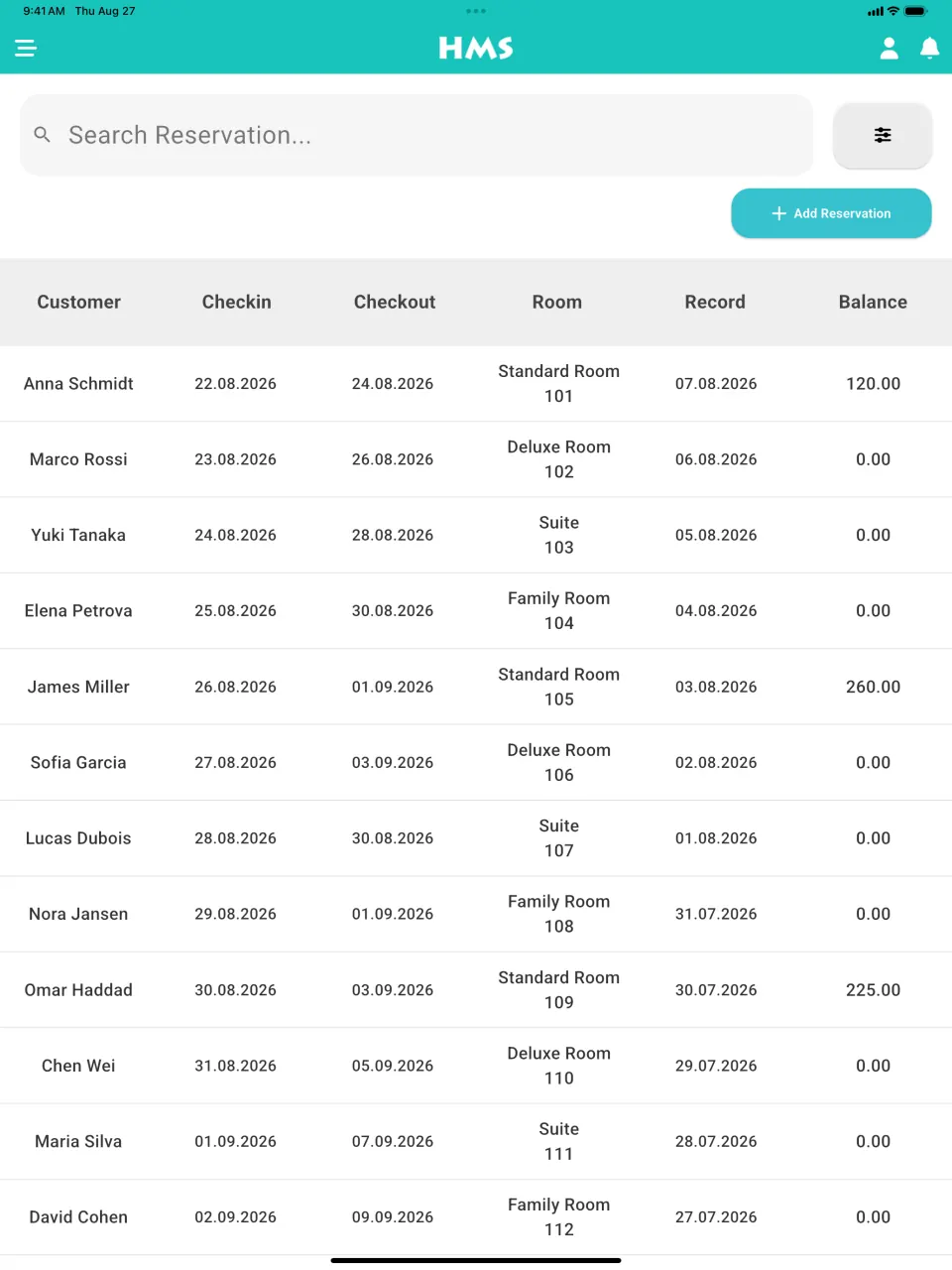
Take a prepayment when the booking is made, then payments by cash, card, transfer, online payment or mail order, in more than one currency. Each user closes and hands over their own cash drawer, a live cash report splits takings by method and currency, and agencies and companies have their own accounts with due dates.
Rates, board types and restrictions
Price per room or per person with occupancy-based rates, attach board types and give each night of a stay its own price. Change prices, availability, minimum and maximum stay, close-to-arrival and stop-sell for a whole date range in one go, with refundable and non-refundable rates side by side.
Reports and night audit
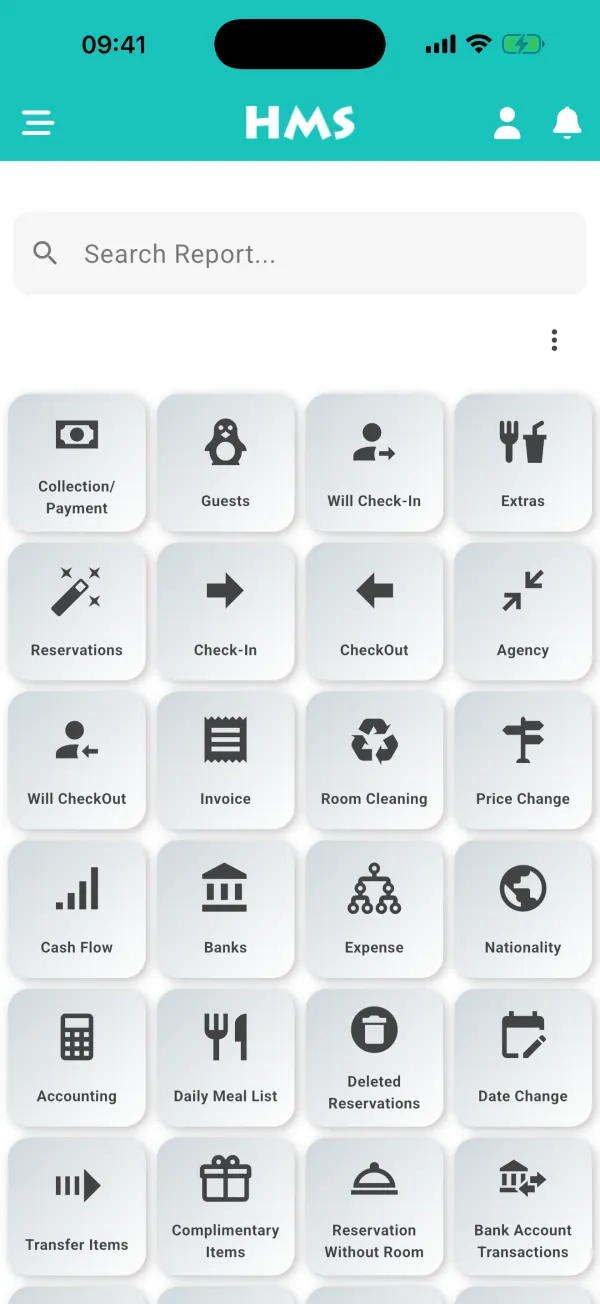
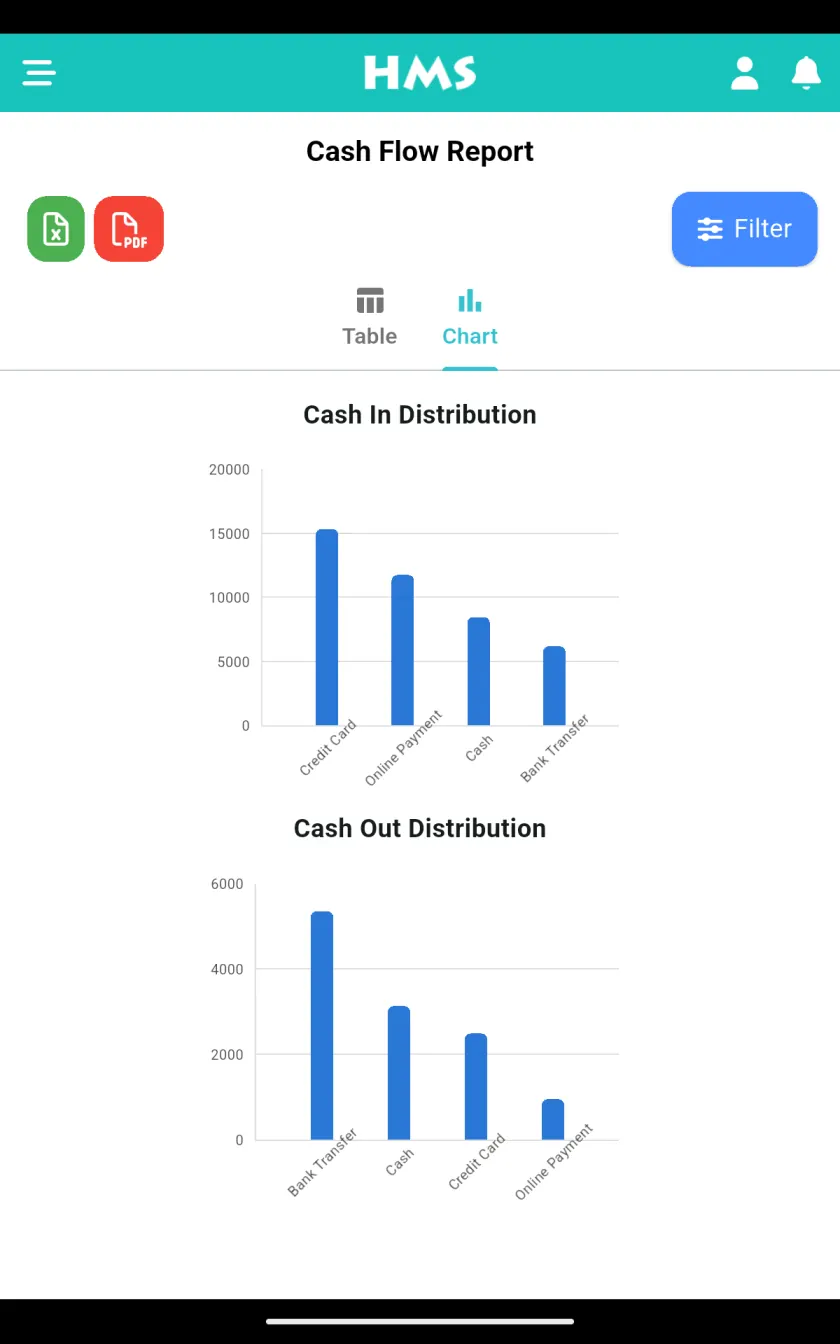
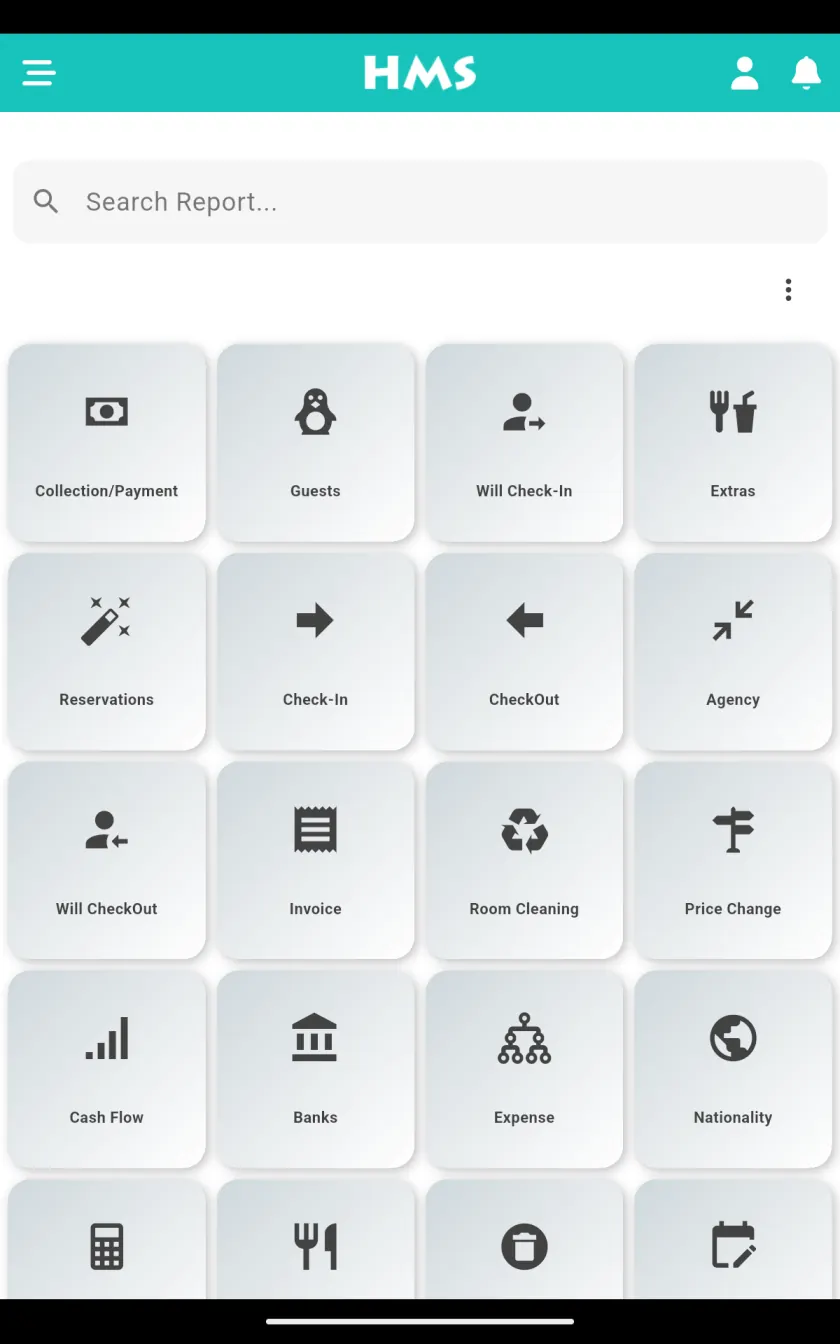
More than 50 reports — forecast by room type, occupancy and capacity, revenue by board type, nationality, main courante, open balances, early departures, price changes, complimentary stays and deleted reservations — plus a sales dashboard with RevPAR. Every report exports to Excel or PDF, and the night audit runs by itself at midnight.
Extras, restaurant and invoicing
Post minibar, spa and restaurant charges to a room by outlet with the bill number, or bill a visitor who is not staying and move the bill to a room later. Adisyo restaurant orders reach the folio on their own. Invoices print on your own layout, purchase invoices update stock, and in Türkiye e-invoices go out through Paraşüt or Turkcell.
Users, permissions and audit trail
Add as many users and devices as you need and decide per person what each one can see and change. Allow sign-in only from the hotel's own IP address, trace every addition, change and deletion to a user and IP in the activity log, track staff commission, and switch between your properties without signing out.
Why hotels move off spreadsheets and installed software
Most properties that come to HMS Flow are running on a spreadsheet, a paper chart or a program installed on one reception computer. This is what changes.
| Compared | Spreadsheet or paper | Installed PMS | HMS Flow |
|---|---|---|---|
| Work from any device, anywhere | No | Usually the reception PC only | Yes |
| OTAs updated the moment a room sells | No | Often a paid add-on | Yes |
| Night audit | By hand | By hand, at the desk | Automatic at midnight |
| Backups | Up to you | On your own server | Automatic, on our servers |
| Updates and new features | No | Paid upgrades, installed on site | Included, nothing to install |
| Several people working at once | One file, one editor | Priced per licence | Unlimited users |
| Up-front cost | None | Licence and hardware | None — one yearly plan |
Your whole property, in your pocket
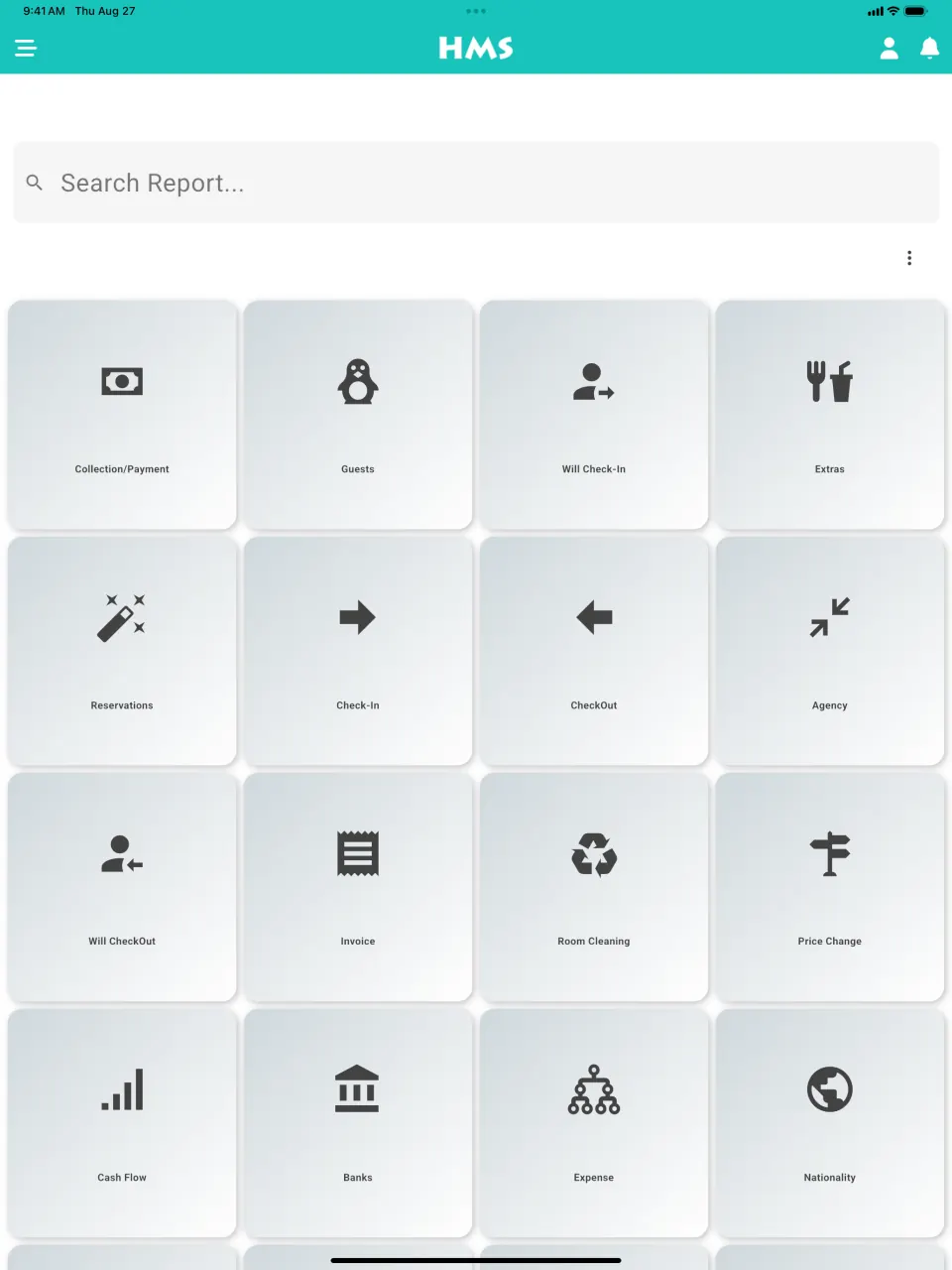
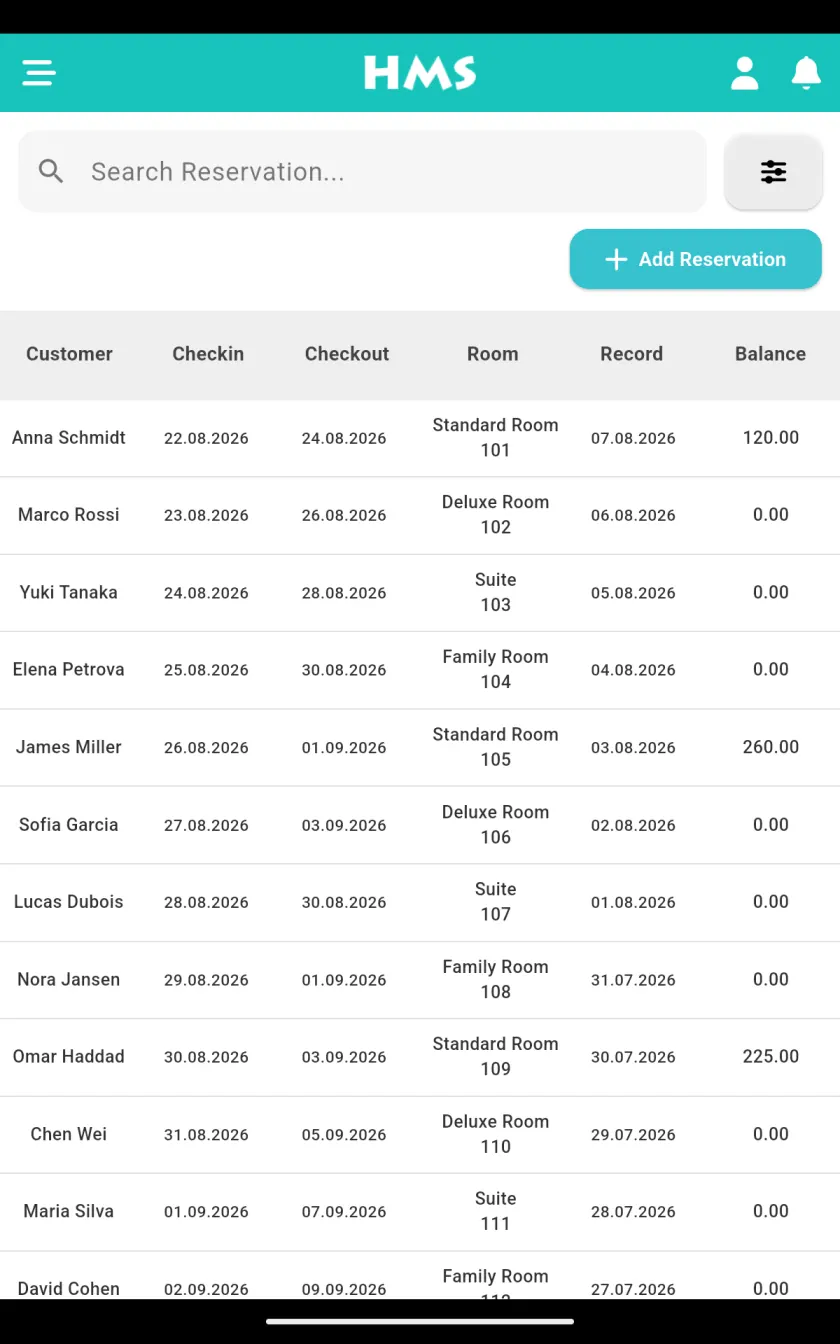
These are real screens from the HMS Flow app, on the phone or tablet your team already carries — and in the language you are reading this page in.

Built for the rules hotels in Türkiye work under
For properties in Türkiye, the official reporting that usually eats into the end of a shift happens as part of normal front-desk work.
- KBS identity notification to the police or gendarmerie, sent automatically at check-in, room change and check-out
- No EGM SEC mobile approval code needed to send notifications
- Monthly accommodation statistics for the Ministry of Culture and Tourism in the required format
- e-Invoice through the Paraşüt and Turkcell integrations
- Guest Wi-Fi hotspot with 5651-compliant logging
- Free ID and passport scanner that reads the document into the guest record
Outside Türkiye?
The guest list, nationality and main courante reports export to Excel or PDF, ready for whatever register your local authority asks you to keep.
How moving from another system works
Changing the software your front desk lives in sounds risky. We do the heavy lifting, and none of it costs extra.
We build your setup
Send us your room list and our team creates your room types, board types and rooms, so the calendar is ready the first time you sign in.
Bring your data
Guest and agency lists are imported from a spreadsheet or your old system's export instead of being typed in again.
Connect your channels
Our support team connects remotely and maps your rooms and rates on each OTA together with you.
Train the team
Training has no extra charge and no time limit, and technical support stays free and unlimited after you go live.
“It is very intuitive and was quite simple to set up. We were up and running quickly and the front desk picked it up straight away.”
Solmaz Deluxe Hotel
Explore other modules
HMS Flow works best as one connected system. Every module below shares the same data, so your team never re-enters anything twice.
Channel Manager
Connect 40+ OTAs and travel agencies — Booking.com, Expedia, Airbnb, Agoda, Trip.com and more — to one pooled inventory. Rates, availability and restrictions sync in real time, so double bookings become a thing of the past.
Learn moreBooking Engine
Turn your own website into your best sales channel with a fast, mobile-friendly booking engine that takes commission-free direct reservations and secure online payments.
Learn moreHousekeeping & Operations
Coordinate room turnarounds, cleaning tasks and maintenance in real time. Staff update room status from any device — no radios, no paper lists.
Learn moreGuest CRM & Loyalty
Build rich guest profiles, automate the pre-arrival and post-stay journey, and reward returning guests to grow loyal, direct repeat business.
Learn moreHMS Rate — Rate Intelligence
Shop competitor prices in real time and price every room with confidence using live market, demand, seasonality and rate-parity data.
Learn moreQuestions about Hotel PMS & Front Office
Try Hotel PMS & Front Office at your property
Use every module free for 14 days. Setup and onboarding are on us.